

published · approved · 1.54 GiB
Workshop mod by LordOzelgroph
FirstContact SCIFI Equipment Arma Reforger Mod
FIRST CONTACT SCIFI EQUIPMENT PACK
FCE75092B1834AD6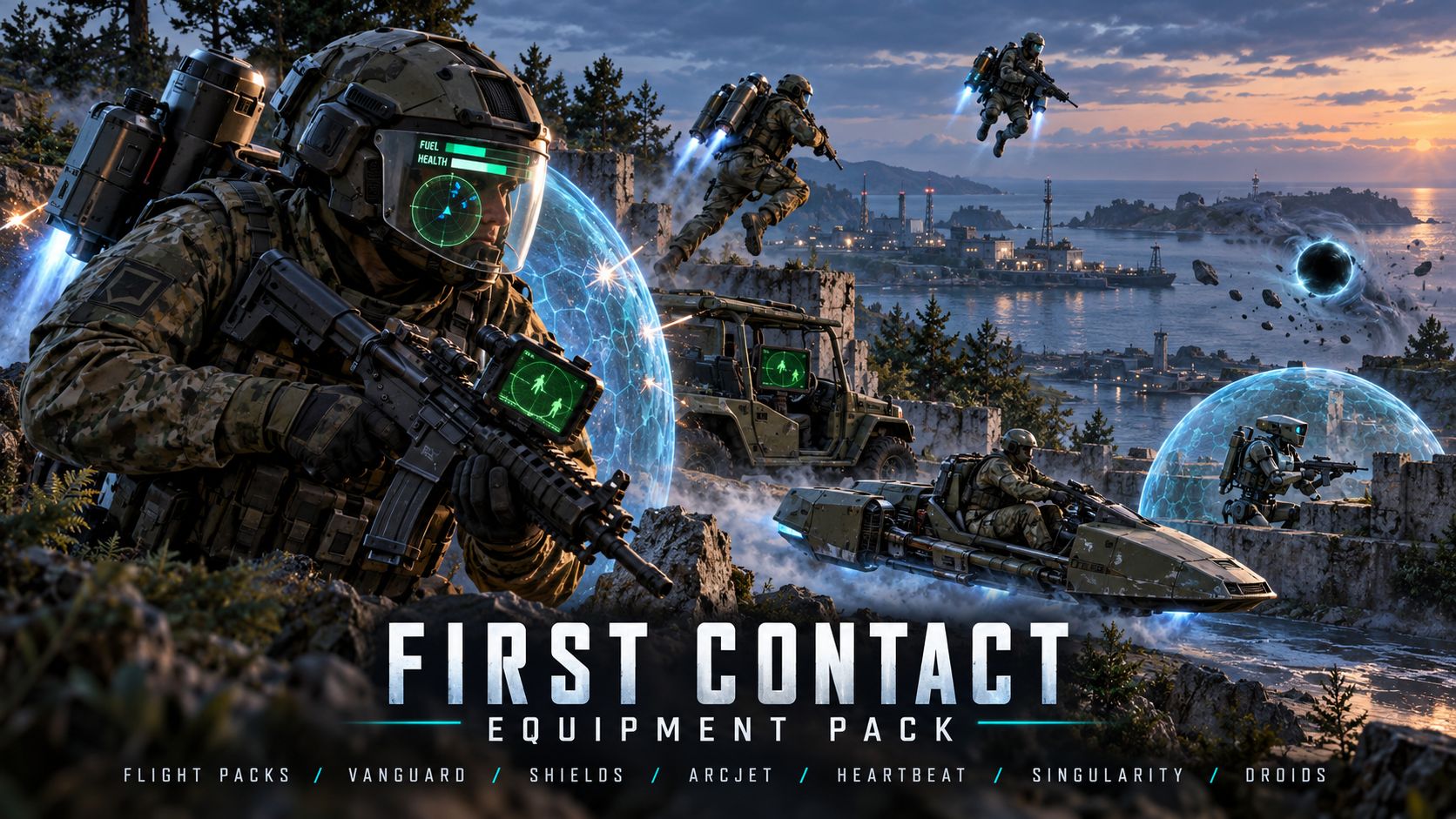
Ranking
Popular#831070.2Falling#229759.2
3Serversrunning this mod
2Observed players nowon servers reporting this mod
87Estimated player-hours (7d)7-day data
DeploymentTop 22%77.6ahead of 78% of tracked mods by servers running it
ActivityTop 41%59.0ahead of 59% of tracked mods by play on those servers
Popularity70.2deployment and activity combined
How those 3 installs happen67% traced
- Not identified as a dependency2
- Unknown1
Last 30 days
2 latest4 peak, 8 Nov0 low, 3 Nov
Servers reporting the mod in each hourly observation. Covers 13 days of the last 30 days. Shaded bands mark periods with no observations, which is not the same as zero.
Daily values
| Day | Last | Peak | Low | Obs. |
|---|---|---|---|---|
| 27 Oct | 1 | 1 | 1 | 21 |
| 28 Oct | 1 | 1 | 1 | 24 |
| 29 Oct | 1 | 1 | 1 | 24 |
| 30 Oct | 1 | 1 | 1 | 24 |
| 31 Oct | 1 | 1 | 1 | 24 |
| 1 Nov | 1 | 1 | 1 | 24 |
| 2 Nov | 1 | 1 | 1 | 24 |
| 3 Nov | 1 | 1 | 0 | 24 |
| 4 Nov | 1 | 1 | 1 | 24 |
| 5 Nov | 2 | 2 | 0 | 24 |
| 6 Nov | 2 | 2 | 1 | 24 |
| 7 Nov | 3 | 3 | 2 | 24 |
| 8 Nov | 2 | 4 | 2 | 21 |
0 latest6 peak, 6 Nov0 low, 27 Oct
Sampled player counts on servers reporting the mod; not unique players. Covers 13 days of the last 30 days. Shaded bands mark periods with no observations, which is not the same as zero.
Daily values
| Day | Last | Peak | Low | Obs. |
|---|---|---|---|---|
| 27 Oct | 0 | 2 | 0 | 21 |
| 28 Oct | 0 | 1 | 0 | 24 |
| 29 Oct | 0 | 1 | 0 | 24 |
| 30 Oct | 2 | 2 | 0 | 24 |
| 31 Oct | 0 | 2 | 0 | 24 |
| 1 Nov | 1 | 1 | 0 | 24 |
| 2 Nov | 2 | 2 | 0 | 24 |
| 3 Nov | 0 | 3 | 0 | 24 |
| 4 Nov | 2 | 2 | 0 | 24 |
| 5 Nov | 0 | 2 | 0 | 24 |
| 6 Nov | 6 | 6 | 0 | 24 |
| 7 Nov | 6 | 6 | 0 | 24 |
| 8 Nov | 0 | 2 | 0 | 21 |
Calculated Nov 8, 2026, 11:54 PM UTCDerived from observed server and mod activity. Trend positions describe recent observed change, not future adoption.
Summary
FIRST CONTACT SCIFI EQUIPMENT PACK
Official Workshop description
Release Jump to stop thrust; steer with normal movement controls.
Press J on PC to lock/unlock the current hover altitude.
Land to end flight.
The current build has no controller default for the separate altitude-lock action.
PERSONAL SHIELDS
Standard shield bag: 100 points. Tier 2 shield bag: 200 points. The Vanguard Shield Helmet also supplies a 100-point shield.
Equip compatible shield gear in its worn slot; protection activates automatically.
Spare items stored in cargo do not activate.
No activation button is needed. Recharge starts after five seconds without a protected hit.
Shield charge appears as a green extension beside the Vanguard health bar. Generators do not stack.
Shields absorb bullets, explosions, fragments and melee. Falls, fire, drowning and bleeding bypass them.
VANGUARD HELMET HUD
Wear the Vanguard Helmet or Vanguard Shield Helmet in Head Cover to activate the visor. It displays health, ammunition, pack name/fuel, compass, a circular map and squad information.
HUD activation is automatic; remove the helmet to switch it off.
R3/right-stick click toggles squad outlines during gameplay.
F7 for keyboard outline shortcut is assigned by default.
Outlines require the HUD helmet. Your on/off choice is remembered when re-equipping.
The shield helmet combines HUD, NVG and shield while leaving your backpack slot available for a flight bag.
The plain Vanguard helmet has HUD/NVG without a built-in shield.
SQUAD TRACKING
Blue outlines identify living player squadmates. Live blue dots show squad positions on the circular HUD map and the regular map; your own marker has a white centre.
Use your normal Map binding for the regular map.
The circular HUD map is automatic and covers a 350-metre radius.
R3 controls outlines only; map dots remain active.
R3 is reserved for outlines while wearing the HUD helmet. Its outline shortcut is inactive in menus and the regular map.
Tracking is for your player squad, not every friendly unit or AI group member.
FIVE-COLOR NIGHT VISION
White, green, amber, blue and red vision with seven brightness levels. Included on both Vanguard helmets, plus five standalone NVG-only helmets.
PC: N power, F6 next color, numpad + / - brightness.
Xbox: hold LB + RB, then tap D-pad Right for power, Left for color, Up/Down for brightness.
PlayStation: hold L1 + R1, then use the same D-pad directions.
Hold both shoulders first, then tap a direction.
NVG starts OFF and switches off when the helmet is removed or the controlled character changes.
Rebind NVG controls under Settings > Controls > Independent Night Vision.
FUEL AND REFUELING
All three flight bags use fuel and warn the wearer with low-fuel beeps. The Vanguard HUD shows a shorter fuel bar above health when a flight bag is equipped.
Carry a filled jerrycan and land before refueling.
PC: hold Home to refill the worn pack.
Controller: put the pack on the ground and use its displayed Refuel interaction while carrying the jerrycan.
The Home shortcut has no controller default in this build.
USE AND COMPATIBILITY
Equip one flight bag at a time. Normal movement and weapon controls remain in use. Item availability depends on the scenario’s arsenal and rank restrictions.
Load this combined add-on without also enabling the original pack, HUD, shield or IndependentNVG add-ons. Base game required.
For suggestions or to report bugs join discord here : https://discord.gg/wdrxZhmr4C
Servers running this mod
22 currently listed servers report FirstContact SCIFI Equipment in its mod list. Showing the 2 with the most players.
- ! First Contact | SCIFI | GM ServerOnline · #AR-Editor_Mission_GM_Eden_Name0 / 20players
- SCP Site-20 join us at https://discord.gg/uNa9pybNxOnline · #AR-Editor_Mission_GM_Eden_Name0 / 32players
Versions
101.0.32Game 1.9.0.37 · 1.54 GiB · Nov 8, 2026
Dependencies: 0Scenarios: 0PublishedApproved
added scifi enviroments props and scenarios stil WIPconfig.json entry
{
  "modId": "FCE75092B1834AD6",
  "name": "FirstContact SCIFI Equipment",
  "version": "1.0.32"
}Use FirstContact SCIFI Equipment on your server
Add FirstContact SCIFI Equipment to the game.mods array of your server config.json. The config generator builds the full file, the mod manager keeps the mod list and its dependencies organized, and the config validator checks an existing config. The adding mods guide and mod dependencies guide walk through it step by step.
Fetch this mod from the API
The same metadata is available as JSON. See the API quickstart, the V2 reference, or the V1 reference.
GET https://api.reforgermods.net/v2/mods/FCE75092B1834AD6
GET https://api.reforgermods.net/v2/mods/FCE75092B1834AD6/versions
Data is cached from Arma Reforger Workshop metadata and may be stale. reforgermods.net is independent and is not affiliated with Bohemia Interactive.